Navigation
On this page
Examples
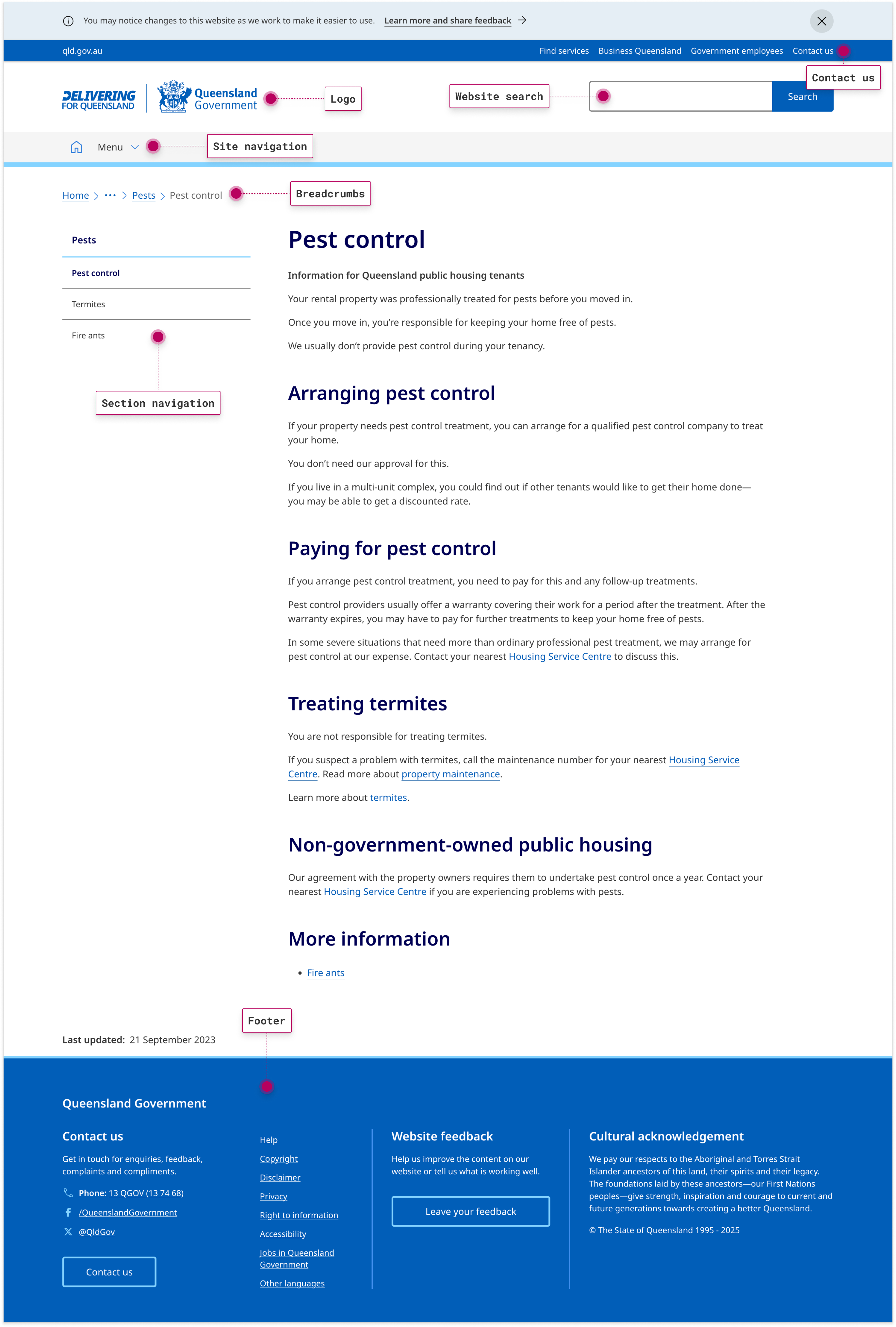
These examples show the navigation options available on the qld.gov.au website.
Desktop view
Mobile view

Queensland Government logo
All Queensland Government websites display the Queensland Government logo in the top left corner of their websites. This logo is a link to the Queensland Government home page.
Site navigation
The site navigation is a menu located at the top of each page. This menu links to:
- For Queenslanders—this section contains information about and services for Queensland residents.
Contact us
The contact us page includes all the ways you can get in touch with Queensland Government—online, by phone, face-to-face or by mail.
Website search
At the top right corner of each page you will find a link to the 'contact us' page for general enquiries. To the right of this is the search bar. You can type queries into the search bar and get a list of search results for qld.gov.au pages.
Section navigation
The section navigation menu shows links to other pages within the same section of the website. The menu appears in the left column of all qld.gov.au pages.
Breadcrumbs
The breadcrumb trail helps you keep track of your location in the Queensland Government website. You can click on text within the breadcrumb trail to navigate to higher-level sections of the site.
Footer
The footer menu includes the main phone numbers and social media accounts for Queensland Government, and a link to our website feedback form.
It also contains the Queensland Government legal and privacy notices, information on the access keys used through this site and information on multilingual services (if required).
Keyboard navigation
Several features have been included to help you navigate using a keyboard or alternate input devices or assistive technologies: